

Overview
Real-Time Events lets you monitor live user activity across the platform. It gives you instant visibility into incoming events so product, analytics, and engineering teams can debug, validate, and analyze user behavior as it happens. Instead of running a query or building a chart, you open the page, choose a time window, optionally narrow the events you care about, and inspect individual events and their properties. Real-Time Events helps you:- See events as users trigger them
- Debug and validate event tracking
- Monitor live user behavior
- Filter, search, and explore events
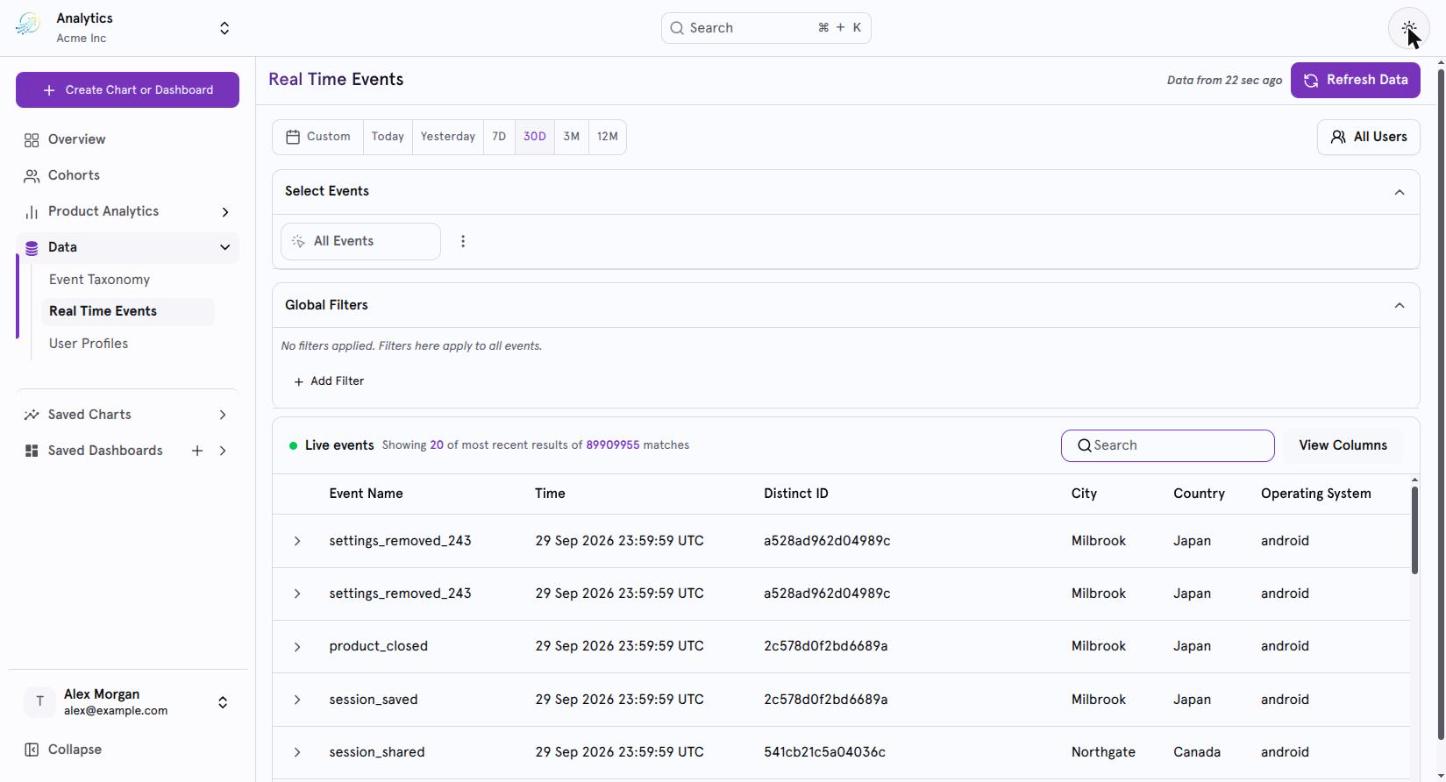
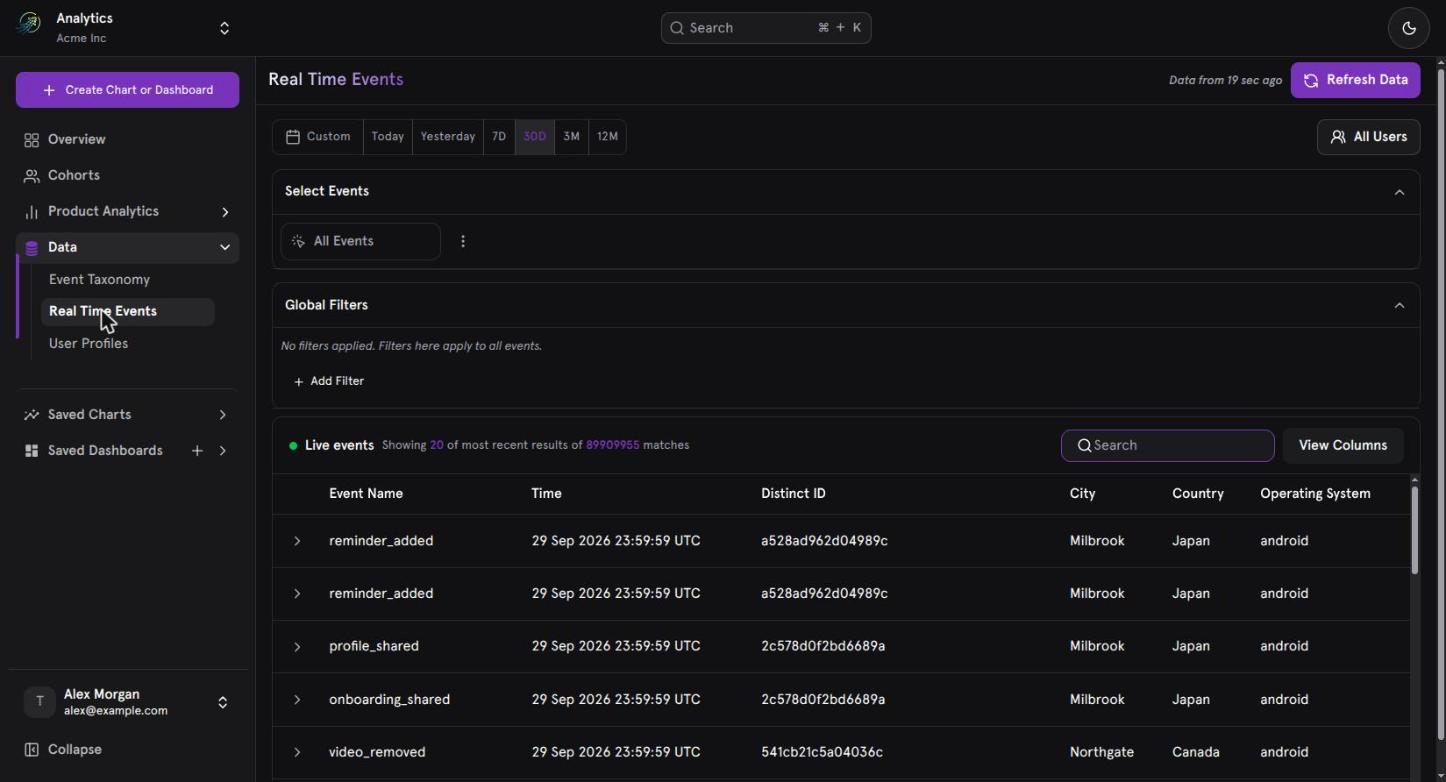
Real-Time Events, showing the live event stream with its time window and filters.
Who it is for
What Real-Time Events helps you answer
- Is this event firing when users perform the action?
- What did the event contain? Which properties were sent, and which are missing?
- Which users triggered an event, and where and on what device?
- How is a feature being used right now?
- Was there a delay between when an event occurred and when the platform processed it?
Page at a glance
The Real-Time Events page has four sections.What the product does and what you can do
Default state
When you open the Real-Time Events page:- The time window is Last 30 Days.
- The event selection is All Users.
- The Events Table shows all events triggered by all users within the selected time window.
Time Window
The Time Window section controls which period of events is shown. The selected window applies to the events displayed in the table.Preset time windows
Select one of the following:- Today
- Yesterday
- Last 7 days
- Last 30 days
- 3 months
- 12 months
Custom date range
Use the Custom Date Range Picker to choose a specific period. It supports fixed dates, relative ranges, and quick selection options.Search
Use Search to quickly find events in the table. You can search by:- Event name
- Distinct ID
Edit Columns
Use Edit Columns to choose which columns appear in the Events Table. The available columns are listed in the Edit Columns dropdown.Metric section: choose the events
The Metric section controls which events appear in the table. You can collapse this section when you don’t need it.All Users (default)
When All Users is selected:- The table shows all events across all users.
- The Add Event option is not available.
- Filters you apply affect all events. You can use event properties and user properties.
- The First-Time filter, when enabled, shows only the first event triggered by each user, across all events.
A specific event
When you select a specific event (for example, “Event A”):- The table shows data only for that event.
- Filters apply only to that event. You can use event properties and user properties.
- The First-Time filter, when enabled, shows the first occurrence of the selected event per user.
Work with multiple events
Where filters apply
Properties section: refine with filters
The Properties section lets you refine the events you see using event properties, user properties, and cohorts.Add a property filter
- Select Add Property. The Properties popup opens.
- Choose a tab to browse what you can filter by.
- Select one or more properties.
- Choose an operator (for example
=,≠,contains) and enter a value. - Apply. The filter appears in the active filters area.
Properties popup tabs
Filter scope
Applied filters work at the level of your event selection:- With All Users, filters apply globally.
- With a specific event, filters apply per event.
Cohorts
- You can select an existing cohort or create a new cohort directly from the popup.
- When a cohort is applied, only users who belong to that cohort are included in the results.
Manage applied filters
- Applied properties appear as filter chips/tags.
- Each chip can be edited or removed individually.
- You can expand or collapse the Properties section, and hide or show applied properties.
Events Table
The Events Table is the core of the page. It shows a live stream of user-triggered events with key details about each one.What the table shows
- Events are sorted with the most recent first.
- A results line reads: “Showing 100 most recent results of X matches”.
- Applicable columns include Event Name, Timestamp, Distinct ID, City, Country, and OS, among others.
- If there is no event data in the selected time window, the table shows no data.
- A refresh button is available.
Inspect an event
Select a row’s expand icon to open the event’s detailed view. The expanded panel has three tabs:JSON Mode
JSON Mode shows the complete raw event payload in a structured JSON format.- It is a toggle switch in the expanded event view.
- The default is OFF (structured view).
- When switched ON, the panel changes from the property display to raw JSON.
Property types
Every event on the page can show three groups of properties.
If a property value was not received in the event payload, the page shows
-.
View Events from a visualization
You can open Real-Time Events from a chart.- Select a point on a visualization.
- Choose View Events.
- The Real-Time Events page opens in a new tab with the selected event and filters applied.
Common workflows
Verify that an event is firing
- Keep the time window on Today or a short recent period.
- Select the event in the Metric section.
- Check the Events Table for matching rows, most recent first.
- Use Search to find a specific Distinct ID if you are testing with a known user.
Check what an event contained
- Find the event in the table.
- Expand the row.
- Review Your Properties for custom properties and All Properties for the full set. A value of
-means it was not received. - Turn on JSON Mode to see the complete raw payload.
Look for ingestion delays
- Expand an event.
- Compare Event Time with Processed Time. A large gap indicates an ingestion delay.
Focus on first-time activity
- Choose All Users or a specific event.
- Enable the First-Time filter.
- Read the results as each user’s first event (All Users) or first occurrence of the selected event (specific event).
Narrow to a group of users
- Select Add Property.
- Open the Cohorts tab and select a cohort, or create a new one.
- The table now includes only users in that cohort.
Rules and limitations at a glance
- Add Event is not available while All Users is selected.
- Removing a selected event resets the page to All Users.
- A duplicated event is an independent query with its own filters.
- Filters are global with All Users and per event with a specific event.
- The table shows the 100 most recent results, with the total number of matches.
- View Events from a visualization is disabled when the chart has multiple events.
- Missing property values appear as
-. - Location properties are inferred from the IP address.
- Date, time-range, Edit Columns, and Search capabilities are labelled V1 in the PRD.